Quick Android presentation drafts powered by on-device AI
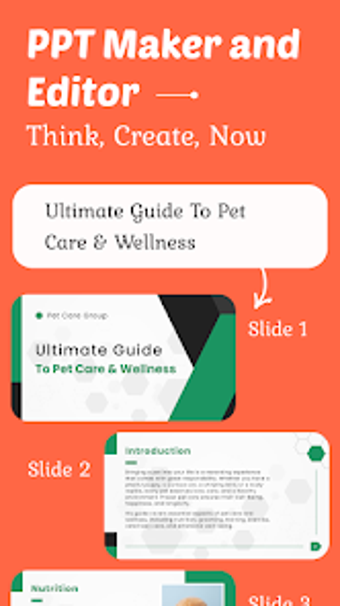
PPT Maker and Editor by Mostick Soft is an Android app designed to produce presentation drafts quickly for students, educators, and business professionals. It transforms short text prompts or trending topics into structured slide decks using AI-generated outlines and ready-made templates. The app highlights one-tap template application, automatic outlines, and real-time slide editing as core conveniences. It targets mobile creators who need rapid, presentable slide drafts while working away from a desktop.
What the app does for mobile presentation workflows
PPT Maker and Editor functions as a mobile-first slide generator, turning a user-provided topic or trending subject into a complete content outline through AI. That outline is the starting point for a slide deck, so the tool addresses the early-stage work of structure and sectioning rather than final desktop polish. This makes it a drafting and concepting companion for people who must produce usable slide content quickly on Android devices.
How it shapes the core creation and output process
The app drives a workflow that starts with a text prompt and produces an editable deck, then lets users modify layout and copy in real time. Key steps are prompt entry, automatic outline generation, template application, and manual editing. These stages support rapid iteration: generate a complete sequence of slides in minutes, then refine layout and wording directly on the device before exporting or presenting.
Onboarding, templates, and the learning curve for professionals
Mostick designed the interface for mobile use with one-tap template application and one-tap design transformations, which lowers the barrier for users unfamiliar with slide design. The presence of ready-made templates and automatic outlines reduces the need for prior slide-building experience. Professionals who prefer guided workflows find this approach shortens setup time for standard presentations.
Compatibility, collaboration signals, and runtime behavior
The app targets Android and emphasizes mobile generation and editing, offering real-time customization after AI creation. It supports business, educational, and creative deck types so output fits common presentation scenarios. Runtime demands vary by device, and the developer positions the app as optimized for on-the-go building rather than heavy batch processing or desktop-level layout control.
PPT Maker and Editor suits mobile-first creators seeking draft-ready slides
PPT Maker and Editor is a practical option for students, educators, and business professionals who need to convert ideas into presentable slide drafts on Android. It rewards iterative concept work and fast turnaround. Professionals who require pixel-level control or complex desktop features should treat this app as a drafting and review tool rather than the final-stage editor.